 Mac app · Free and open source
Your Mac’s notch,
put to work.
Alero turns the notch into something useful: your music, your calendar, per-app volume, display brightness, a teleprompter right under the camera, screenshots, cleanup and an uninstaller. Light, private and open source.
- macOS 14+ · Apple Silicon
- Menu bar and notch
- ~20 MB when idle
- No accounts, no network
Everything at hand,
right at the top.
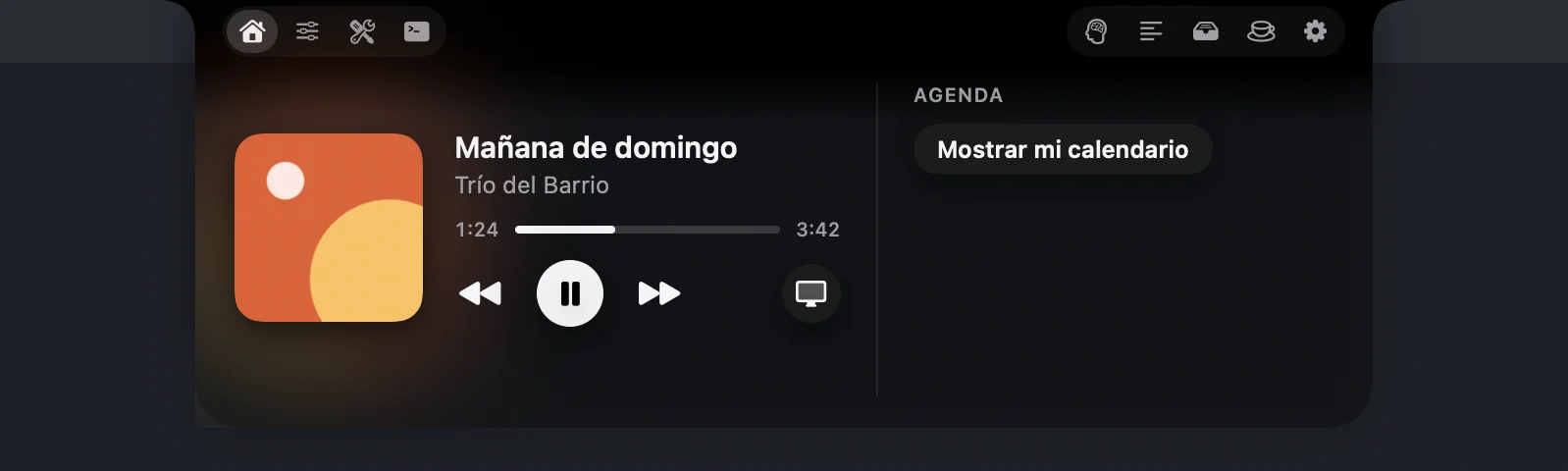
- Notices beside the cameraClosed, it looks like the real notch. It shows the album art while music plays, volume and brightness (instead of the macOS overlay), headphones connected, the charger with the battery level, a download finished and a meeting in 5 minutes.
- Open, your wayTabs and buttons go on either side of the camera, in the order you choose. Black or frosted-glass background, with the transparency you like, and it’s resizable.
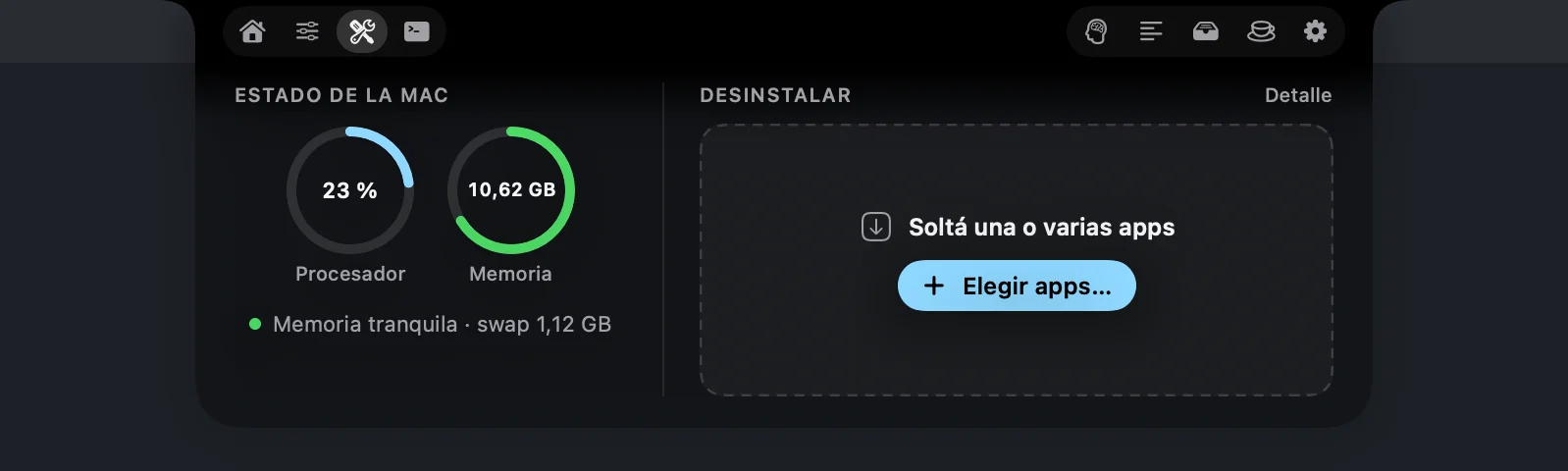
- A home made of yoursTwo cards of your choice: music, calendar, sound, Mac status or AI agents.
- Per-app volume and brightnessOutput device, per-app volume, every display’s brightness (regular monitors too, by DDC or software dimming) and the keyboard light with ⌘ + the brightness keys.
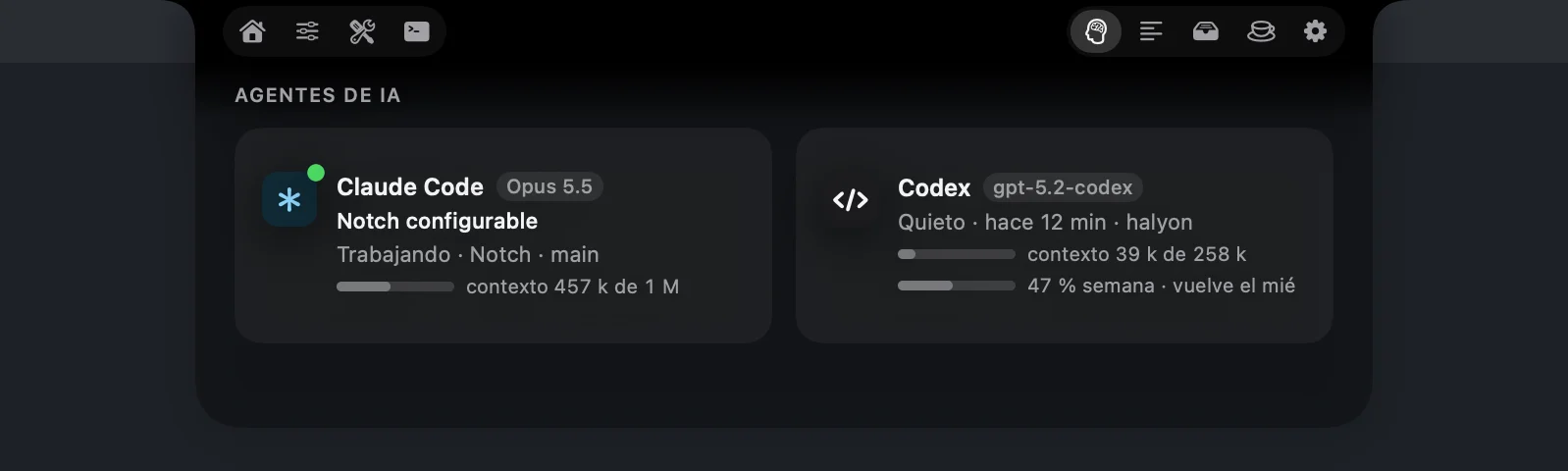
- Your AI agentsWhether Claude Code or Codex are working right now: the active chat, model and context used, and Codex’s weekly quota. Read from their local logs: no keys, no network.
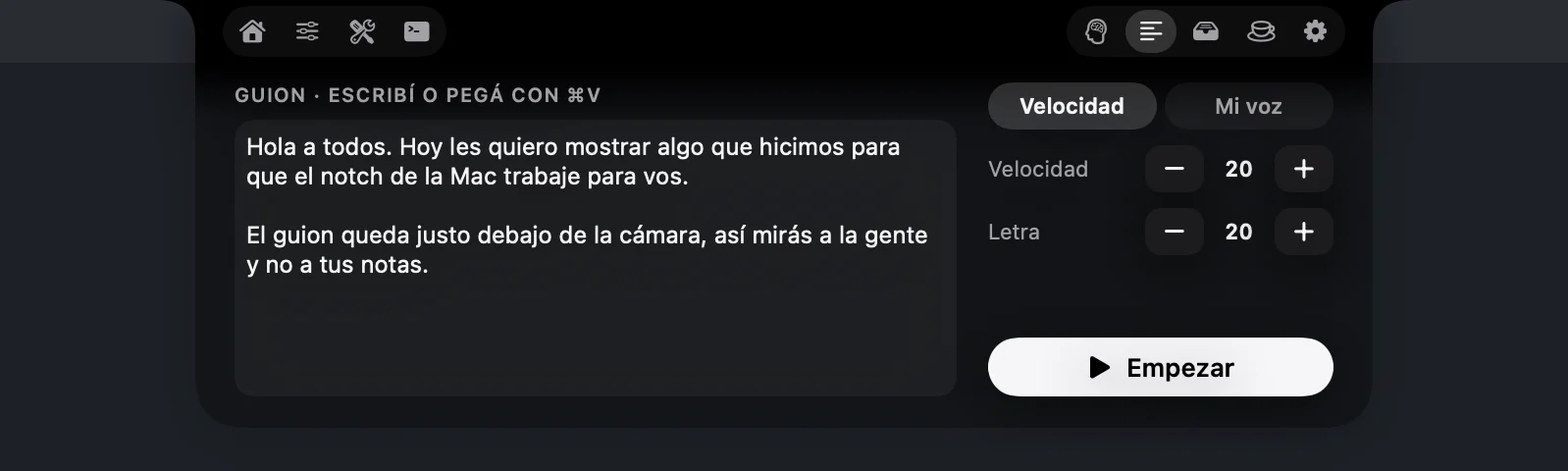
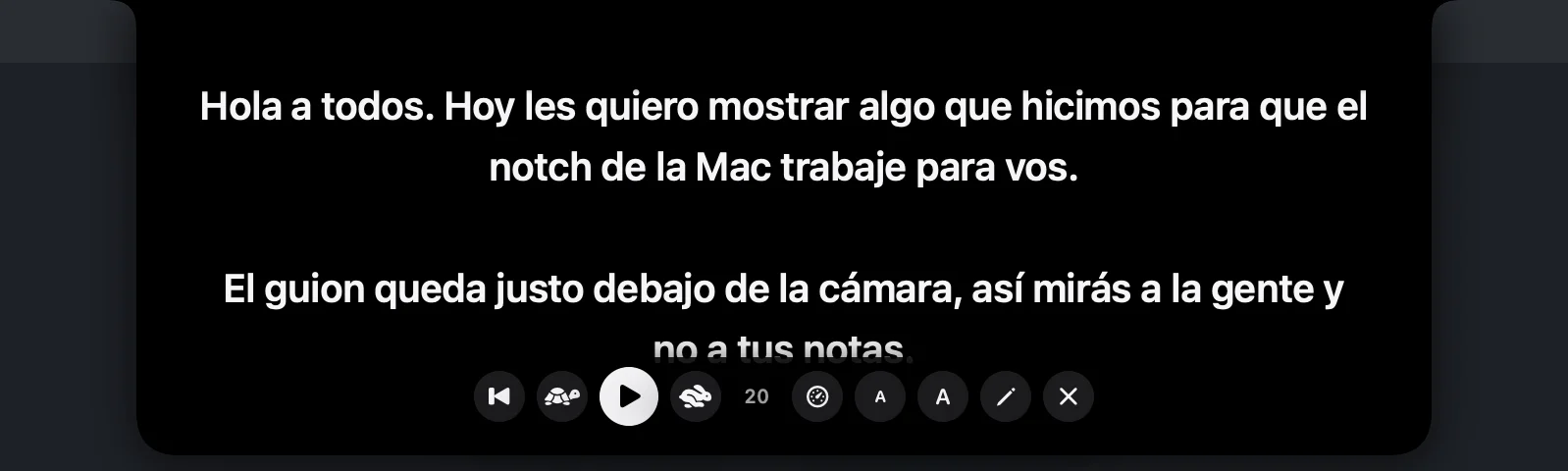
- A teleprompter under the cameraYour script right under the camera, at a fixed speed or following your voice (Spanish, on-device when available). Hidden from screen sharing and recordings.
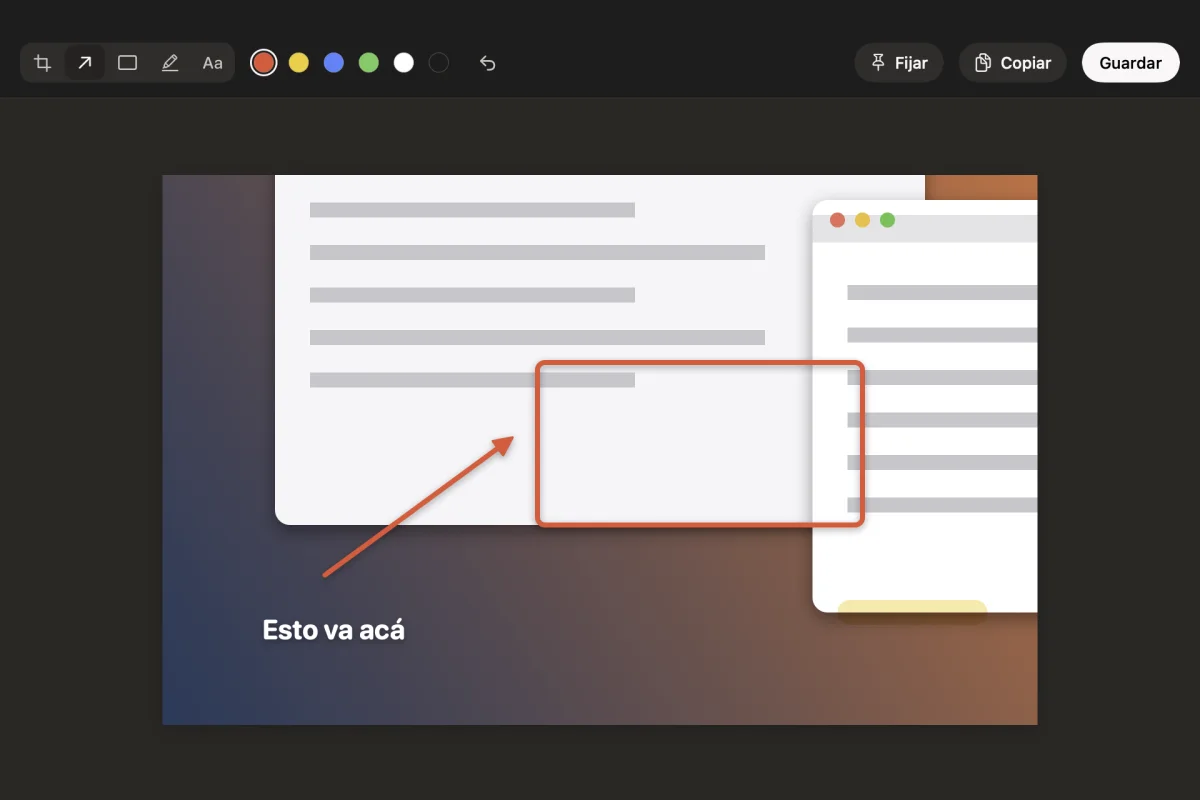
- Screenshots with an editorWith a shortcut: an area, a window with its shadow or the full screen, on a frozen screen with a magnifier. Crop, mark it up with an arrow, box, highlighter or text, and pin it on screen.
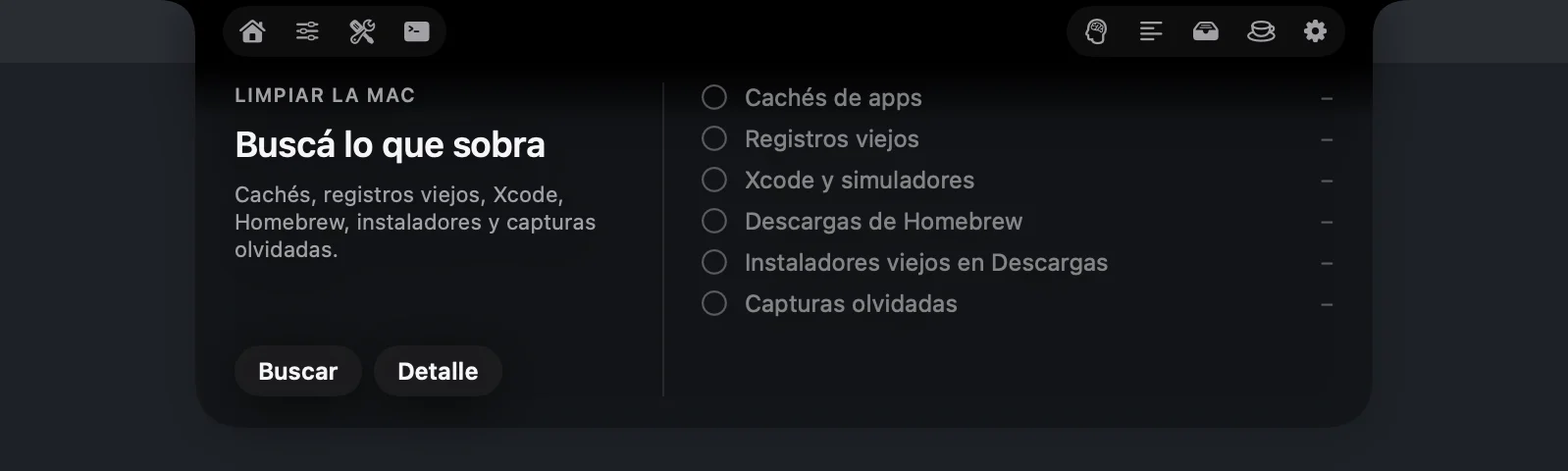
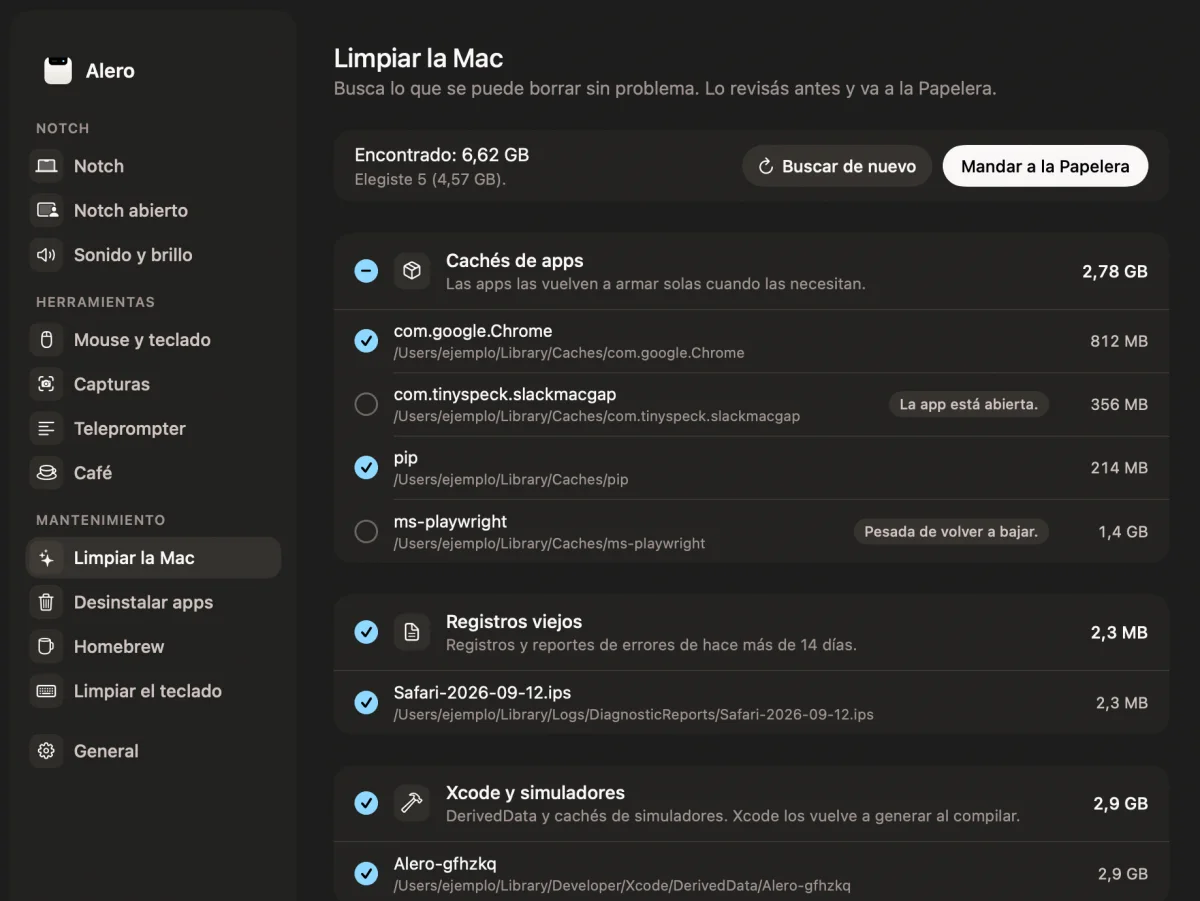
- Clean up your MacCaches, old logs, Xcode leftovers, Homebrew downloads, old installers and forgotten screenshots. You review it first and it goes to the Trash.
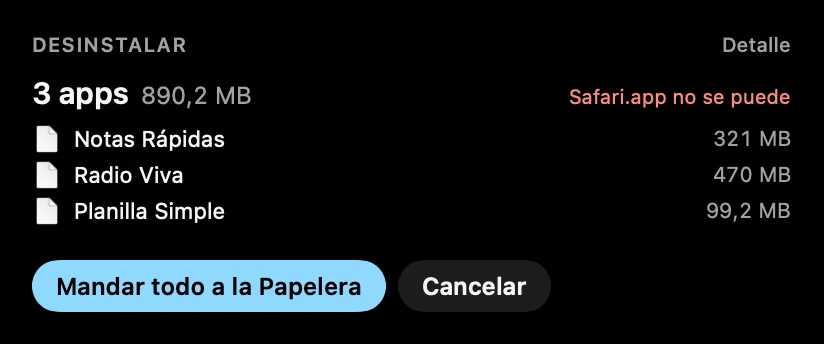
- Uninstall several at oncePick several apps, or drop them on the notch, and send them to the Trash with everything they left behind, in one go.
- CoffeeKeeps the Mac awake for a while or until you turn it off, and optionally even with the lid closed.
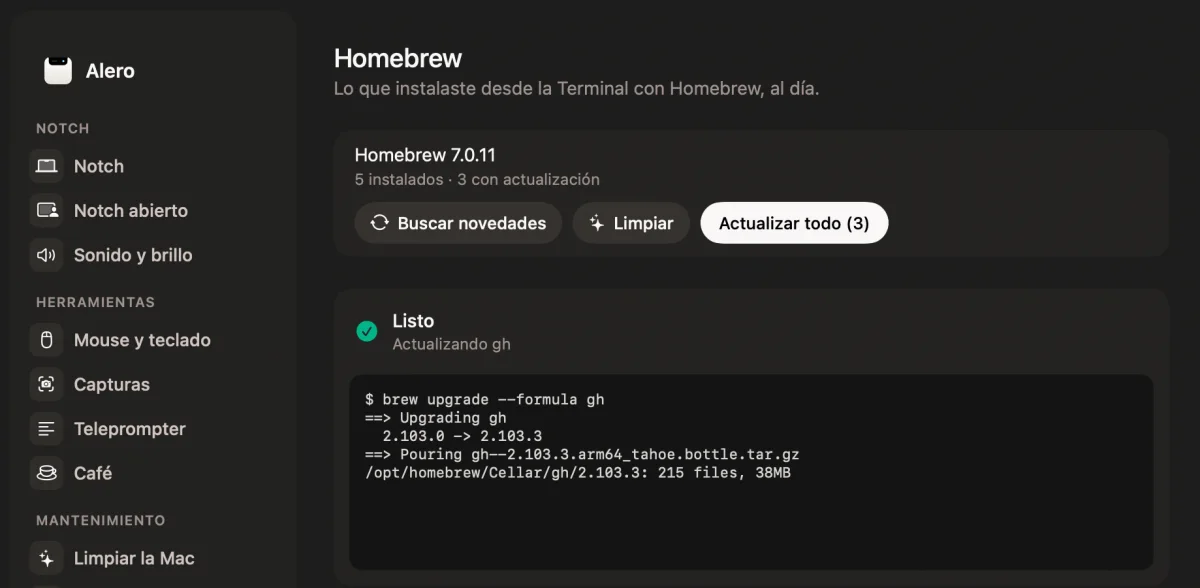
- Homebrew in viewWhat you installed, what has updates and live output while updating.
- Mouse and keyboardSmooth or reversed wheel scrolling, click a Dock icon to minimize, green button to maximize, mouse buttons 3–5 with actions, and cut and paste files in Finder.
- Also:
- Terminal in the notch
- Shelf to drop files on
- CPU and memory pressure
- Clean the keyboard
- Every feature can be turned off
Quiet
when you’re not using it.
Closed, Alero looks just like your Mac’s notch. Notices show up small, beside the camera. (The app’s screenshots are in Spanish.)





Open it
and it’s all there.
And a window
for the big stuff.
Settings, maintenance and the screenshot editor get their own window, with more room.
Everything stays
on your Mac.
Alero has no accounts, no analytics and makes no network requests of its own. It asks for each permission only when a feature needs it, and everything else keeps working without it.
pmset -a disablesleep 1 and 0); you can remove it from Settings › Coffee.Download it
and open it.
- Download itGet the latest
Alero-x.y.z.zipfrom GitHub, unzip it and drag Alero to Applications. - Open it “anyway” onceIt isn’t signed with an Apple Developer ID yet, so the first time macOS blocks it. Go to System Settings › Privacy & Security and click Open Anyway. You only do this once.
- Choose what goes in the notchIn Settings you order the tabs and buttons on each side of the camera, and turn off whatever you don’t use.
- Grant permissions when askedEach permission only comes up when you use the feature that needs it.
Good
questions.
Is it free?
Yes. Alero is open source under the Apache 2.0 license, and it has no accounts.
Does it send anything over the internet?
No. Alero has no accounts, no analytics and makes no network requests of its own. Everything it reads (your calendar, what’s playing, Claude Code and Codex logs) stays on your Mac.
Which permissions does it ask for?
Only what each feature needs, and only when you use it: Accessibility, Screen Recording, System Audio Recording, Calendar, Microphone and Speech Recognition, and Finder automation. Whatever you don’t allow keeps working as before. What each one is for is listed above, under Privacy.
Which Mac do I need?
A Mac with Apple Silicon and macOS 14 or later.
How do I install it?
Get the .zip from GitHub, drag Alero to Applications and, the first time, click “Open Anyway” in System Settings › Privacy & Security. Rather build it? Clone the repository and run ./compilar.sh instalar (the Xcode Command Line Tools and cmake are enough).
Does it update itself?
Not yet: automatic updates are coming soon. Meanwhile, new versions show up on GitHub.
Does it use much battery or memory?
When idle it uses about 20 MB of memory and 0 % CPU. Every feature can be turned off and, when off, does nothing in the background.
Does it delete anything for good?
No. Whatever Alero removes, when cleaning up or uninstalling, goes to the Trash.
Who made it?
Halyon Team, a small team from Argentina. Some ideas come from other open source notch and Mac apps (Boring Notch, Atoll and Vorssaint Utils), but no code was copied: Alero is written from scratch. The music reader is MediaRemote Adapter (BSD 3-Clause), unmodified.
Open source.
Alero’s code is on GitHub under the Apache 2.0 license, so anyone can use it, study it and improve it. Redistributions must keep the NOTICE file and its credit.
 Follow for updates
- Use it for freeDownload the code, build it and use it on your Mac, at no cost.
- Improve it with usFound a bug or have an idea? Open an issue or send your change, in English or Spanish.
- The name is oursThe name “Alero”, its logo and icon are not licensed. If you publish your own version, give it a different name and icon, and keep the credit: “Based on Alero by Halyon Team”.